

AI-Powered Modeling: Generating SysML v2 Code
The AI Revolution in Systems Engineering
Even for experienced architects, manually writing every definition, connection, and requirement in a SysML v2 tool can be time-consuming. The complexity of modern systems demands a faster way to iterate on designs. You might have a clear conceptual idea but don’t want to spend the next hour typing out the boilerplate structure required to see it visualized.
SysML v2 Studio introduces a paradigm shift: AI-Assisted Modeling. By integrating advanced Large Language Models directly into the SysML v2 IDE, we’ve enabled a workflow where you can describe your system in plain English and receive valid, structural SysML v2 code in seconds. This isn’t just about speed; it’s about reducing the cognitive load of syntax so you can focus on the engineering logic.
Beyond Basic Chat: Context-Aware Generation
Unlike general-purpose AI tools, the AI Assistant in SysML v2 Studio is specifically tuned for systems engineering. It understands the relationships, constraints, and semantics of the v2 standard. Our SysML v2 editor provides two primary ways to collaborate with the AI:
1. Direct Generation
Start with a simple prompt. Whether you need a “High-level architecture for an autonomous drone” or a “Requirement hierarchy for a medical infusion pump,” the AI Assistant generates the foundational code and automatically selects the most appropriate diagram view to display it.
2. Re-contextualization (Generating Based on File)
This is where the real power lies. You can take any existing model—such as a complex industrial example—and tell the AI to adapt it to your specific needs. Instead of the AI guessing your architecture, it uses the currently opened file as a structural reference, ensuring the generated code follows your established patterns and naming conventions.
Step-by-Step Tutorial: Re-contextualizing a System
In this tutorial, you will take an existing room model and use the AI to transform it into a different type of system, maintaining the structural rigor of the original.
- Open a Reference File: In the Examples pane, navigate to
Examples > Room Model. You will see a complex definition of a room.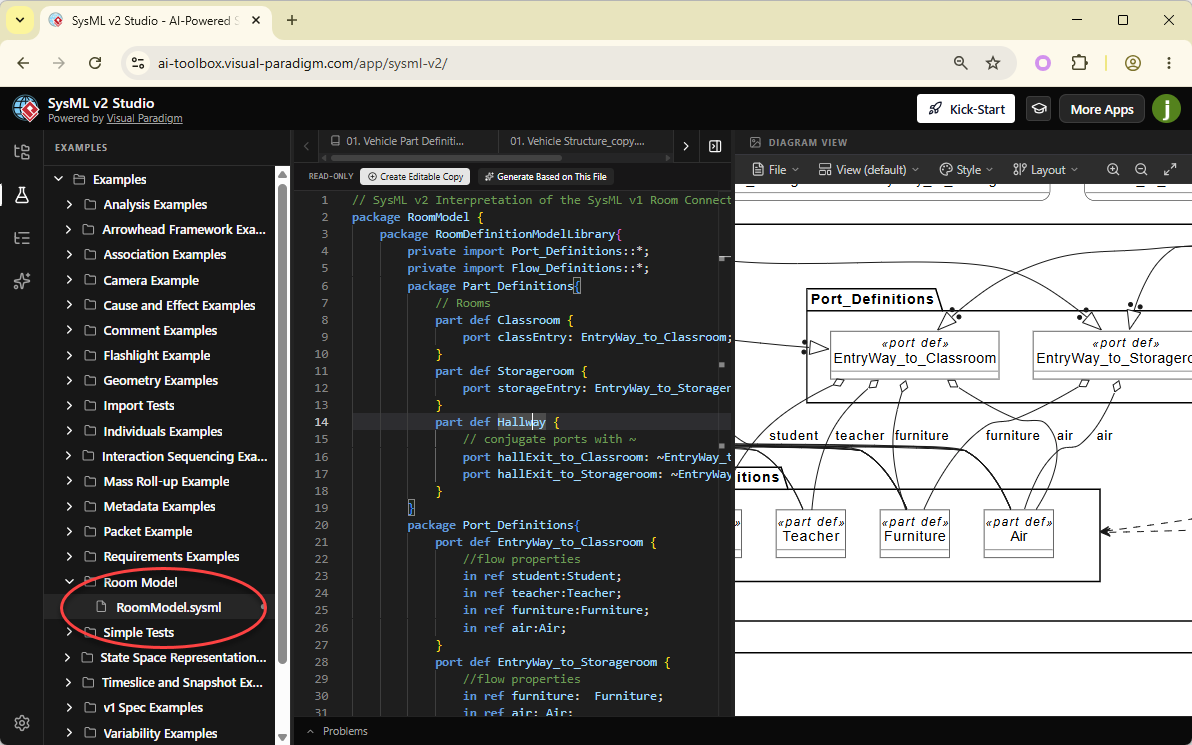
- Activate the AI Link: At the top of the Code Editor (in the toolbar area), click the button labeled “Generate Based on This File”.
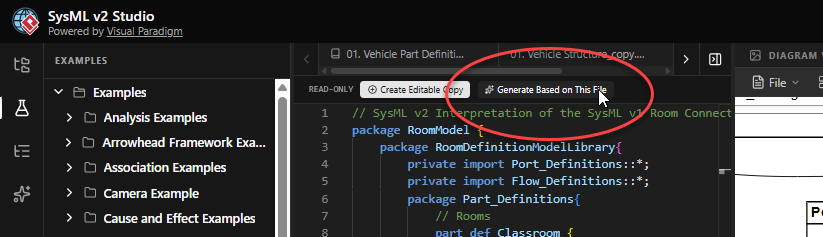
- Observe the Shift: Notice that the workspace automatically switches your left pane to the AI Assistant. The “Context” field is now populated with the Room Model file you just had open.
- Enter Your Prompt: In the prompt box, type something that changes the context while keeping the complexity. For example: “Adapt this room model into an assembly hall model.”
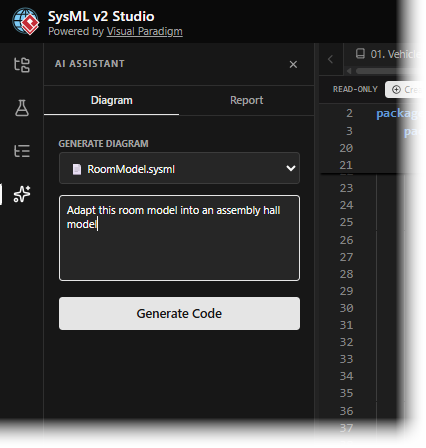
- Click Generate Code: Hit the Generate Code button. You will see the AI start to “write” the new SysML v2 code in the assistant’s preview window.
- Review and Apply: Once the code is generated, you can click “Copy to Clipboard” or use the “Create New File” option (if available) to save your brand-new, AI-generated system model. Click Create New File now.
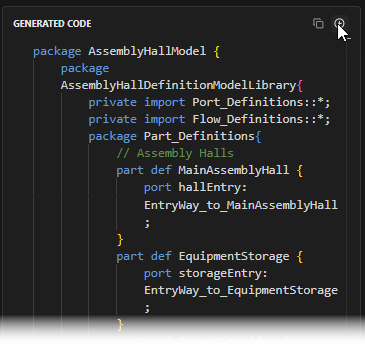
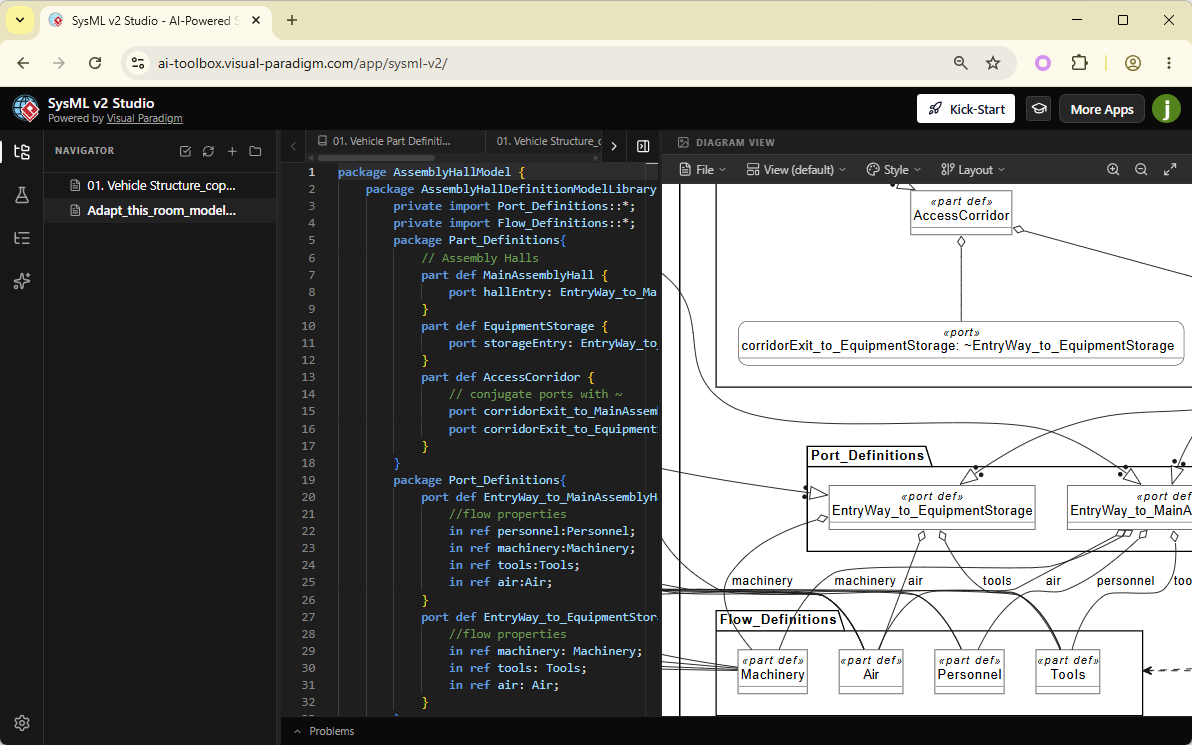
- Check the Result: Open the new code in the editor. Within milliseconds, the SysML v2 tool will render a visualization of your assembly hall, complete with the inherited logic from the room reference.
What You’ve Learned
By leveraging AI, you’ve discovered how to bypass hours of manual typing in a SysML v2 editor. You now know:
- The difference between starting from scratch and “Re-contextualizing” an existing model using AI.
- How to use the “Generate Based on This File” feature to feed context into the AI Assistant.
- How to guide the AI with natural language to perform complex architectural transformations.
You are now modeling at the speed of thought. However, writing code is only half the battle—next, we’ll look at the advanced features of the **SysML v2 code editor** that help you refine and fix your models as they grow.
