

AI-Driven Insights: Analysis and Continued Learning
From Modeling to Meaningful Engineering
Building a valid system model is a significant achievement, but the true value of systems engineering lies in what you can derive from that model. A model isn’t just a collection of parts and connections; it is a repository of design decisions, potential risks, and verification requirements. In traditional environments, extracting this information requires manual effort—writing executive summaries, performing risk assessments, and drafting validation plans by hand.
SysML v2 Studio changes the game by using artificial intelligence to bridge the gap between “modeling” and “analysis.” By leveraging the structural data in your SysML v2 editor, our AI Assistant can perform complex analytical tasks that previously took days. Combined with an integrated Learning Center, this SysML v2 tool ensures you have both the power to model and the knowledge to understand your system at a deeper level.
Advanced Analytical Reports
The AI Assistant in SysML v2 Studio is equipped with specialized analysis engines. Instead of just generating code, it can “read” your model and produce professional-grade engineering reports:
- Executive Summary: A high-level overview of the system architecture, intended for project managers and non-technical stakeholders.
- Risk and Trade-off Analysis: The AI identifies potential bottlenecks, single points of failure, or conflicting requirements in your model, suggesting areas for engineering focus.
- Model Explanation: A detailed walkthrough of the model’s logic, perfect for onboarding new team members or preparing for design reviews.
- Requirement Analysis & V&V Plans: Automated generation of Verification and Validation plans based on the requirements and constraints defined in your
.sysmlfiles.
The Integrated Learning Center
Systems engineering is a vast field, and the SysML v2 standard is deep. You shouldn’t have to leave your SysML v2 IDE every time you encounter a new concept. Our integrated Learning Center brings the entire Visual Paradigm SysML v2 encyclopedia directly into your workspace. It provides contextual documentation, syntax guides, and modeling best practices in a side-by-side view with your active project.
Step-by-Step Tutorial: Generating an Analytical Report
In this final tutorial, you will use the AI to analyze an existing model and then use the Learning Center to deepen your understanding.
- Load Your Model: Open any editable file in your Navigator, or create an editable copy of a case study (e.g.,
Examples Analysis Examples > Turbojet Stage Analysis.sysml).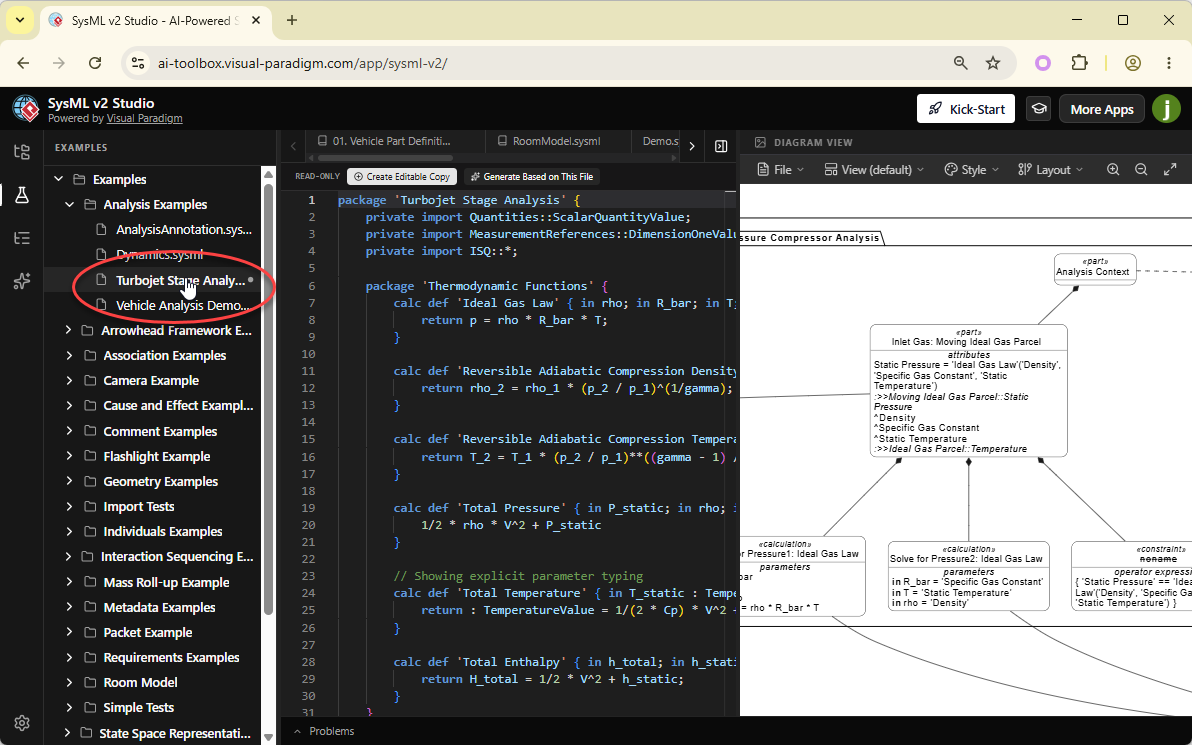
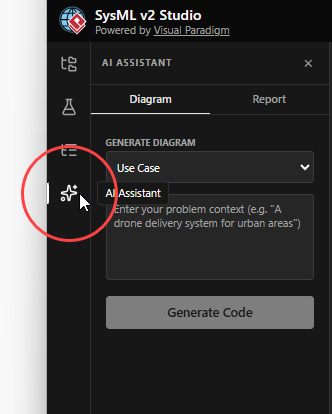
- Open the AI Assistant: Click the AI Assistant tab in the left pane.
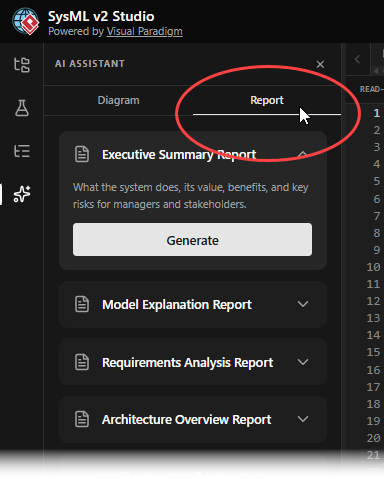
- Select the Report Mode: At the top of the AI Assistant, switch the tab from “Diagram” to “Report”.
- Choose a Report Type: In the dropdown menu, select “Risk and Trade-off Analysis”.
- Generate the Analysis: Click the Generate Report button.
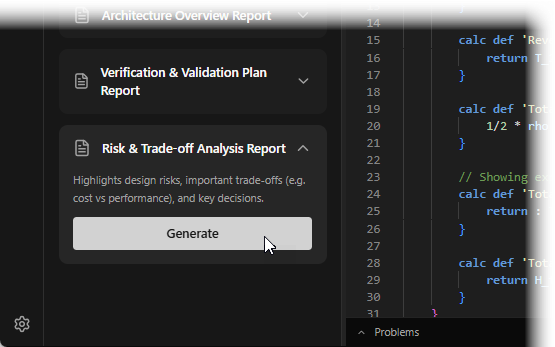
The AI will parse your model and generate a structured document identifying technical risks, architectural trade-offs, and recommendations. You can export the report as markdown or save as a .md file.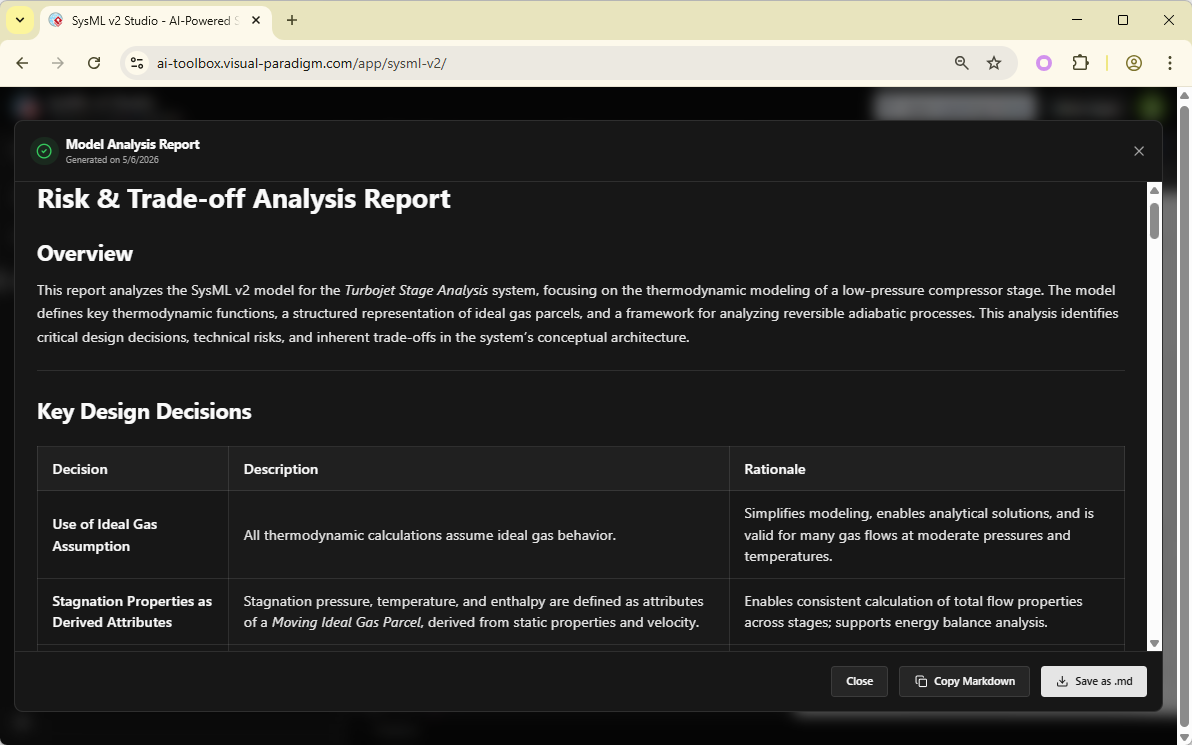
Conclusion: Your Journey with SysML v2 Studio
Congratulations! You have completed the SysML v2 Studio Kick Start Guide. You have evolved from navigating a professional SysML v2 code editor to leveraging cutting-edge AI for system analysis. You now know:
- How to generate advanced engineering reports (Risk Analysis, V&V Plans) directly from your model code.
- How to use the integrated Learning Center to bridge knowledge gaps without losing your flow.
- The full potential of a modern, web-based SysML v2 tool to accelerate your engineering lifecycle.
SysML v2 doesn’t have to be difficult. With the right SysML v2 IDE and AI at your side, you are ready to design the complex systems of the future. Happy modeling!
