

Visualizing System Complexity: Mastering Diagram Views
Beyond Static Images
In many modeling environments, the diagram is merely a “read-only” snapshot of the code—a static image that you can’t touch. When your system model grows to include hundreds of components, you need more than just a picture; you need an interactive environment that allows you to explore and refine your architecture visually. A SysML v2 tool should empower you to work in whatever way is most natural for the task at hand.
SysML v2 Studio provides a high-performance SysML v2 visualization engine, fully compliant with the SysML v2 standard.
The Dynamic Diagram Environment
Our SysML v2 editor provides a unique set of visual capabilities designed for the modern systems engineer:
The “Multiple Views” Paradigm
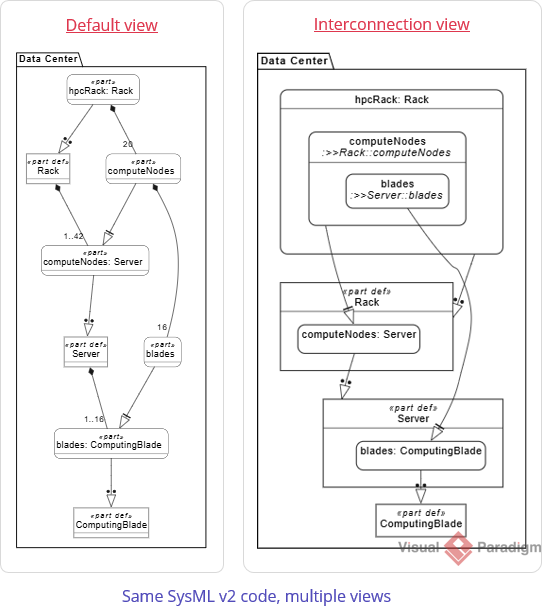
Switch between specialized lenses to see your system from different architectural perspectives:
- Default/Tree: Focused on structural decomposition and containment.
- Interconnection: Visualizes ports and interfaces as a functional wiring diagram.
- Case: Dedicated to Requirements and Use Case traceability.
- Behavioral (State/Action/Sequence): Shows how the system logic flows over time.
Step-by-Step Tutorial: Interactive Exploration
In this tutorial, you will explore the Automobile case study and interact with the diagram canvas.
- Open a Case Study: In the Examples pane, open
Training > 009. Parts > 04. Data Center Server Rack.sysml.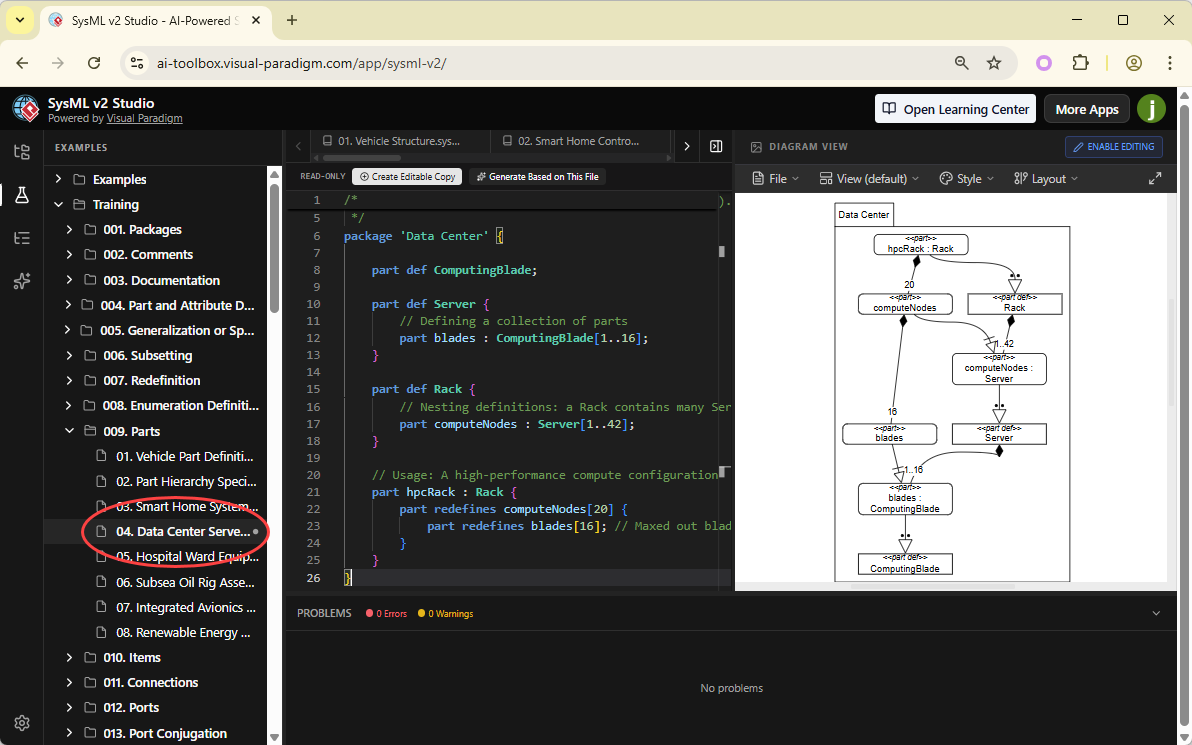
- Switch to “Interconnection” View: Use the view dropdown at the top of the diagram pane. This view shows how the subsystems are wired together.
What You’ve Learned
By mastering diagram views, you’ve turned your SysML v2 code into a living, interactive model.
Visualization is the first step to truly understanding your architecture. In the next chapter, we’ll look at how to customize these diagrams even further using advanced layout and styling controls.
