

Step 2: Defining the Mission – Use Cases and Requirements
Now that we have established our library workspace in Step 1, we move to the most critical phase of system architecture: defining what the system must do and why it exists.
In traditional engineering, requirements are often static documents—PDFs or Word files disconnected from the actual design. In SysML v2, Requirements and Use Cases are first-class model elements. This means they are executable, checkable, and directly linked to the system’s structure. A Requirement specifies a condition that the design must satisfy (a constraint), while a Use Case specifies the behavior required to deliver value to a stakeholder.
1. The Philosophy of “Subject-First” Modeling
SysML v2 introduces a rigorous semantic rule for defining interactions and constraints: the Subject-First principle. Whether you are writing a Use Case or a Requirement, the context must be explicitly declared before the action or rule.
- The Subject: This is the system boundary or the specific entity being analyzed (e.g., the
SmartHome). It must be the first parameter declared. This ensures that every requirement is unambiguously tied to a specific part of the system. - The Actor: In a Use Case, this represents an external entity (human or machine) that interacts with the subject to achieve a goal. Actors are not part of the system itself but trigger its behavior.
- The Objective: Every Use Case must have a clear definition of success. In SysML v2, this is captured in an
objectiveblock, which can contain further constraints or references to requirements.
2. From Text to Math: Formalizing Requirements
In SysML v1, a requirement was often a passive text box containing a “shall” statement. In SysML v2, a Requirement Definition is an active constraint engine. It bridges the gap between human language and machine verification:
doc(Documentation): This contains the informal natural language statement (e.g., “The temperature shall not exceed 25°C”). This is for human stakeholders, managers, and regulators.require constraint: This is a formal mathematical expression using the units and types defined in your library. This allows modeling tools to automatically simulate or verify if your design violates the rule. If the math doesn’t add up, the model fails validation.
By linking these two, we ensure that the human intent (doc) is perfectly aligned with the technical implementation (constraint).
Hands-On: Creating your ClimateDefinitions.sysml
In this section, we will define the actors, subjects, and rules for our Smart Home Climate System. We will reference the ClimateLibrary created in Step 1 to ensure our math uses standard SI units.
- Create the Definition File
Navigate to your project workspace. Select the folder Smart Home Climate System in the project explorer. Click on New File.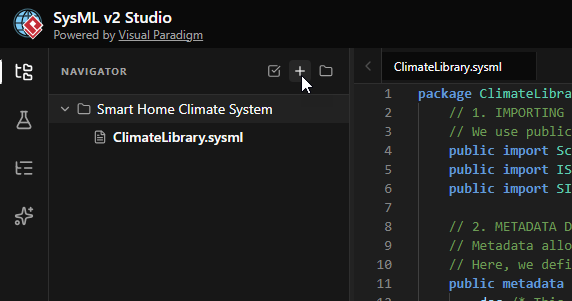
- Name the File
EnterClimateDefinitions.sysmlas the filename and click Create. This file will hold the logical definitions of our system’s mission.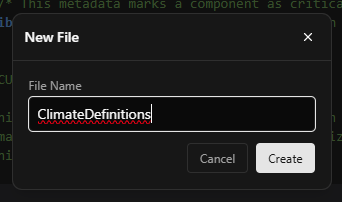
- Define the Package Namespace
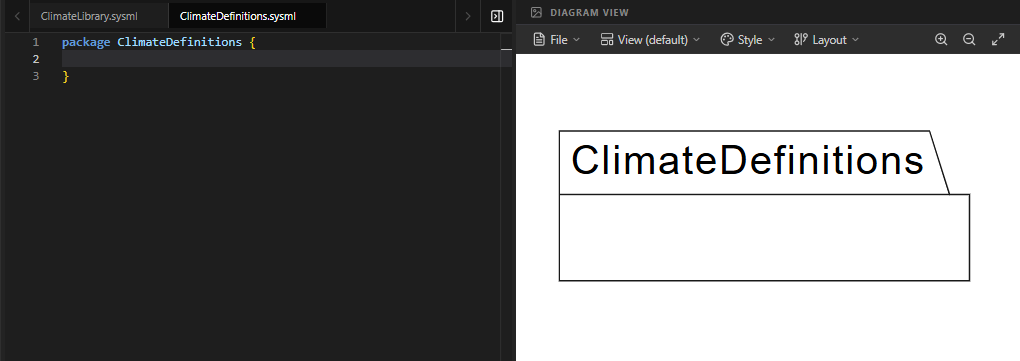
Every SysML model starts with a package to organize elements. Enter the following code into the editor. This creates a container for all our definitions.package ClimateDefinitions { }You will see a package element appear in the diagram view, confirming the namespace is active.
- Import the Library
To use physical units (like Kelvin) and mathematical constraints, we must import the library we built in Step 1. Add the import statement inside the package.private import ClimateLibrary::*;This line makes all public elements from
ClimateLibraryavailable within this package without needing to type the full namespace path every time.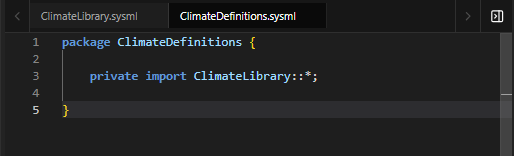
- Define the System Subject (
SmartHome)
Before we can write requirements, we must define what we are requiring. We define apart def(Part Definition) for the Smart Home. Crucially, we give it an attributecurrentTemptyped byThermodynamicTemperatureValuefrom our library. This allows our requirements to “see” and check the temperature.part def SmartHome { attribute currentTemp : ThermodynamicTemperatureValue; }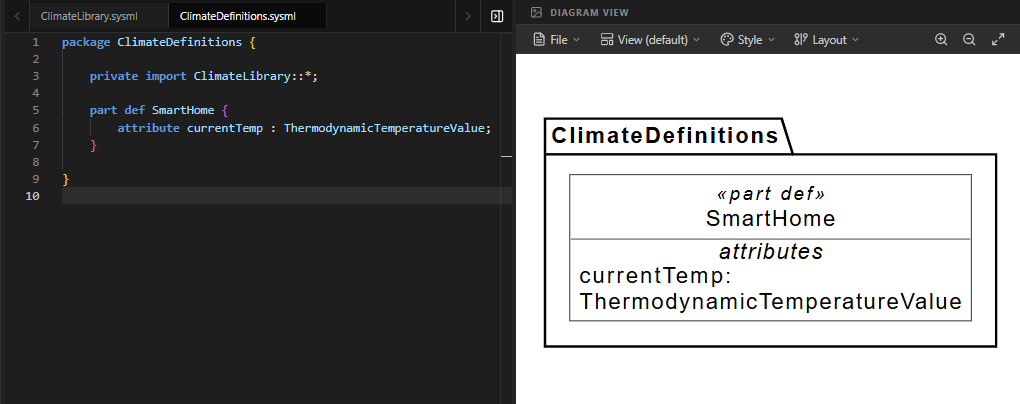
- Define the Actor (
HomeOwner)
Actors are external entities. We define a simple part definition for the Home Owner. While empty now, this element allows us to link human interactions to system behaviors in Use Cases.part def HomeOwner;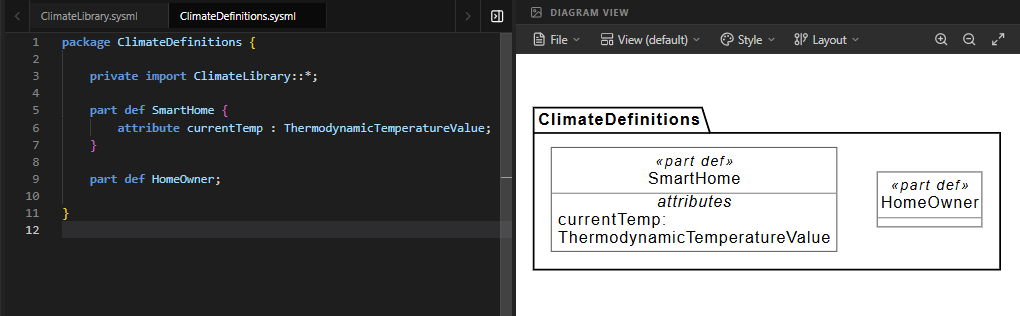
- Define the Requirement (
TemperatureRequirement)
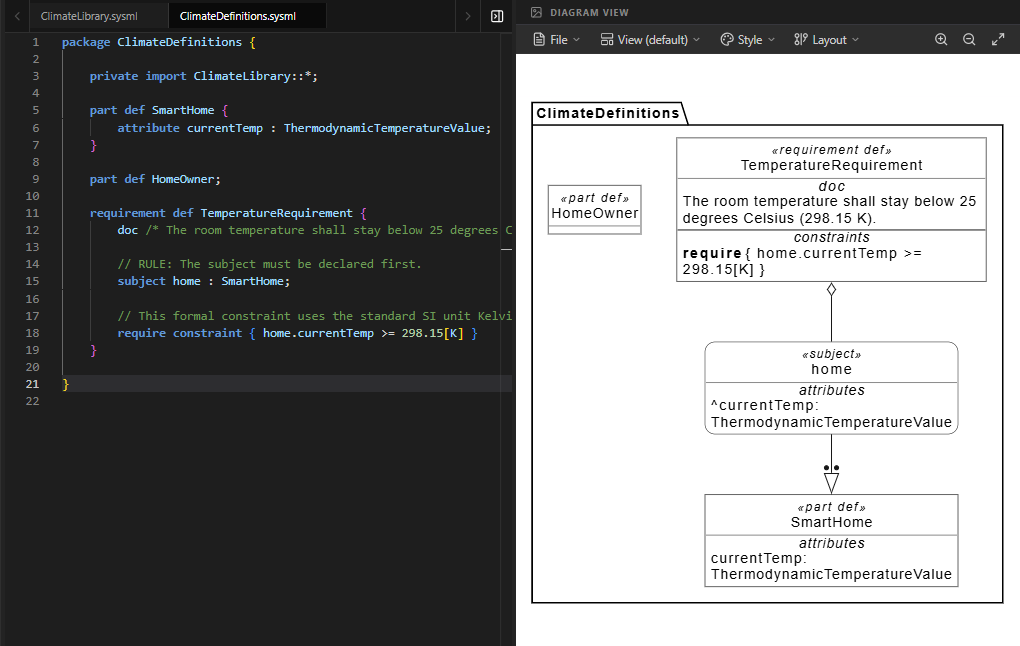
This is the core rule of our system. We define arequirement def. Note the structure:doc: The human-readable “shall” statement.subject home : SmartHome: We explicitly state that this requirement applies to an instance ofSmartHomenamedhome.require constraint: The mathematical logic. We assert thathome.currentTempmust be less than or equal to 298.15 Kelvin (which is 25°C).
requirement def TemperatureRequirement {
    doc /* The room temperature shall stay below 25 degrees Celsius (298.15 K). */

    // RULE: The subject must be declared first.
    subject home : SmartHome;

    // This formal constraint uses the standard SI unit Kelvin [K].
    require constraint { home.currentTemp <= 298.15[K] }
}
- Define the Use Case (
ManageClimate)
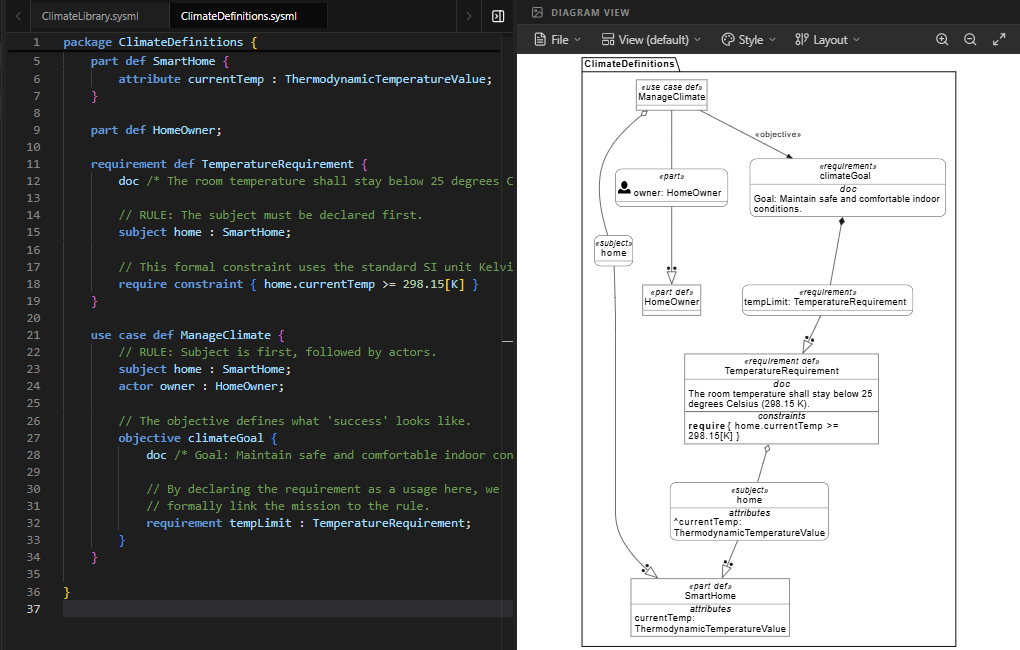
Finally, we define the high-level mission. A Use Case aggregates requirements and actors to describe a complete scenario.- Subject & Actor: We declare the
SmartHomeas the subject andHomeOwneras the actor interacting with it. - Objective: Inside the
objectiveblock, we define what success looks like. We include theTemperatureRequirementas a usage (tempLimit). This formally links the high-level goal (“Manage Climate”) to the specific technical rule (“Stay below 25°C”).
use case def ManageClimate {
    // RULE: Subject is first, followed by actors.
    subject home : SmartHome;
    actor owner : HomeOwner;

    // The objective defines what 'success' looks like.
    objective climateGoal {
        doc /* Goal: Maintain safe and comfortable indoor conditions. */

        // By declaring the requirement as a usage here, we
        // formally link the mission to the rule.
        requirement tempLimit : TemperatureRequirement;
    }
}
- Subject & Actor: We declare the
Full Code for Step 2
package ClimateDefinitions {
    // 1. BRINGING IN THE VOCABULARY
    // We import our library to use math, quantities, and units.
    private import ClimateLibrary::*;

    // 2. PRELIMINARY SUBJECT DEFINITION
    // We define the 'SmartHome' part enough so that our
    // requirements know what data they are looking at.
    part def SmartHome {
        // 'ThermodynamicTemperatureValue' is the formal type from ISQ.
        attribute currentTemp : ThermodynamicTemperatureValue;
    }

    // 3. ACTOR DEFINITION
    // Actors represent roles played by entities external to the system.
    part def HomeOwner;

    // 4. REQUIREMENT DEFINITION (The Rule)
    requirement def TemperatureRequirement {
        doc /* The room temperature shall stay below 25 degrees Celsius (298.15 K). */

        // RULE: The subject must be declared first.
        subject home : SmartHome;

        // This formal constraint uses the standard SI unit Kelvin [K].
        require constraint { home.currentTemp <= 298.15[K] }
    }

    // 5. USE CASE DEFINITION (The Mission Goal)
    use case def ManageClimate {
        // RULE: Subject is first, followed by actors.
        subject home : SmartHome;
        actor owner : HomeOwner;

        // The objective defines what 'success' looks like.
        objective climateGoal {
            doc /* Goal: Maintain safe and comfortable indoor conditions. */

            // By declaring the requirement as a usage here, we
            // formally link the mission to the rule.
            requirement tempLimit : TemperatureRequirement;
        }
    }
}
Switching Diagram Views
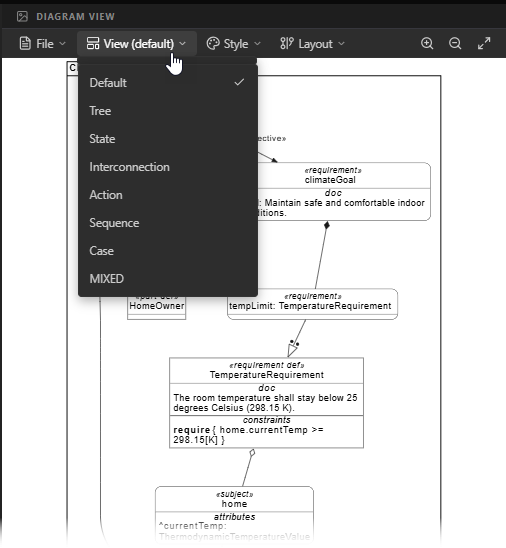
The SysML v2 Diagram Viewer is versatile and offers multiple ways to visualize your model. Since a single file can encompass different aspects of system architecture (such as structure, behavior, or requirements), you can select the view that best suits your current task.
How to Switch Views:
- Look for the View dropdown menu located at the top of the Diagram Viewer panel.
- Click to expand the list and select the view that matches your needs. Common options include:
- Default: A general-purpose structural view.
- Tree: Shows the hierarchical containment of elements.
- Case: Optimized for viewing Use Cases and Requirements (ideal for this step).
- Interconnection: Best for visualizing part connections and ports.
- State / Action / Sequence: Used for behavioral modeling in later steps.
- Mixed: Combines multiple diagram types.
Troubleshooting Empty Diagrams:
Note that not every view is compatible with every type of code. For example, selecting a “Sequence” view while editing a static “Requirement” may result in an empty diagram. If you find that the diagram is blank or not showing what you expect, it is likely that you have selected a view that does not support the current code context. Simply switch back to Default or Case view to resolve this.
Summary of SysML Elements Used
The table below summarizes the key SysML v2 elements introduced in this step, their purpose, and how they appear in the code.
| SysML Element | Purpose | Code Context |
|---|---|---|
package |
Organizes model elements into a namespace to prevent naming conflicts and manage scope. | package ClimateDefinitions { ... } wraps all definitions. |
private import |
Brings external definitions (like units and math functions) into the current namespace for use. | private import ClimateLibrary::*; allows use of Kelvin units. |
part def |
Defines a structural element (a “thing”) in the system. Can represent system components or external actors. | Used for SmartHome (system) and HomeOwner (actor). |
attribute |
Defines a property or characteristic of a part, such as a sensor reading or state variable. | attribute currentTemp : ThermodynamicTemperatureValue; inside SmartHome. |
requirement def |
Defines a constraint or rule that the system must satisfy. Combines human text and machine-checkable math. | requirement def TemperatureRequirement { ... } |
subject |
Explicitly declares the entity to which a requirement or use case applies. Must be the first declaration inside. | subject home : SmartHome; inside both Requirement and Use Case. |
require constraint |
A formal boolean expression that evaluates to true/false. Used for automated verification. | require constraint { home.currentTemp <= 298.15[K] } |
use case def |
Describes a high-level interaction between actors and the system to achieve a goal. | use case def ManageClimate { ... } |
actor |
Declares an external participant in a use case. | actor owner : HomeOwner; inside ManageClimate. |
objective |
Defines the specific goal or success criteria within a use case, often containing referenced requirements. | objective climateGoal { ... } contains the temperature requirement. |
Conclusion
In this step, we moved beyond simple structure to define the mission of our Smart Home Climate System. By using SysML v2, we transformed vague text requirements into formal, checkable constraints. We learned that every requirement and use case must explicitly declare its Subject, ensuring clarity about what part of the system is being governed. We also linked high-level user goals (Use Cases) to low-level technical rules (Requirements) through the Objective block.
This formalization is the power of SysML v2: it allows us to catch logical errors early. If we later design a heater that pushes the temperature to 300K, the model will flag a violation of TemperatureRequirement automatically. In the next step, we will begin to define the Behavior of the system—exploring how the Smart Home actually reacts to changes in temperature to satisfy these requirements.
Ready to Model Your Own Systems?
Stop drawing static diagrams. Start building intelligent, verifiable models with SysML v2 Studio. Experience the power of the Digital Thread today.
